How to Subnet IP Addresses: A Complete Introduction to IP Subnetting
Every digital device (such as a smartphone or computer) that we use over a network communicates with that network via an IP address. But have you ever considered organizations (e.g., corporate offices) where the network becomes too large?
What if they want to keep parts of their network separate from each other?
The reason can be anything, such as improving network management, performance, or enhancing security.
How do they manage such large networks?
Well, this is where subnetting comes in a process in which larger IP networks are divided into smaller parts (also called subnets). Breaking a large IP network into subnets makes it easy to manage IP addresses, regardless of their number.
In this blog post, you will learn what IP subnetting is in networking and how you can subnet an IP address with ease. But before diving into subnetting, let us walk you through the nitty-gritty of IP addresses (to avoid confusion in further concepts).
What Is an IP Address?
An IP (Internet Protocol) address is a unique number assigned to a device connected to a network. This address allows the device to communicate with the network, enabling data to be transferred between them.
As an example:
Just as a mail carrier finds your home by its number and street address, the same applies to digital devices. They need an IP address so the data on the network can find them.
IP addresses primarily are of two types:
- IPv4 (most commonly used today)
- IPv6 (newer and slowly replacing IPv4)
In this blog post, our focus will be on IPv4, which looks like: “192.168.0.1”.
IP Addresses Structure
The structure of an IP address varies with its type. Regarding IPv4, it is made of 32 bits (binary digits: 0 and 1). To make an IP address easier to read and understand for humans, they are written in four blocks, each separated by a dot. These blocks of four in IPv4 addresses are referred to as octets.
For example, if a device of yours has an IP address “192.168.0.1”, it will have the following four blocks (octets)
- 192
- 168
- 0
- 1
Each of these numbers (octets) is actually an 8-bit binary number. So behind the scenes, 192.168.0.1 looks like this when converted to binary:
“11000000.10101000.00000000.00000001”.
Where:
- 192 = 11000000
- 168 = 10101000
- 0 = 00000000
- 1 = 00000001
Note: Each octet in an IP address ranges from 0 to 255. This is because each among them consists of 8 bits, and 8 bits can represent values from 0 to 255.
Public vs Private IP Addresses
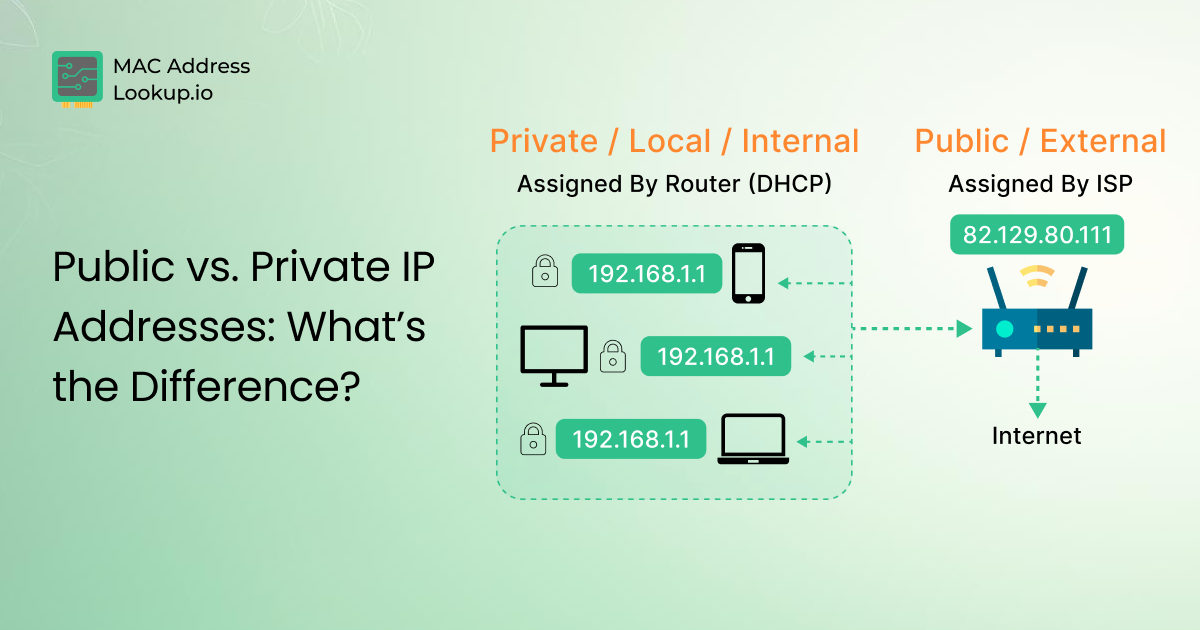
IP addresses can be both public and private. Public IP addresses are unique addresses available on the internet. Private IP addresses are those that are used inside local networks (such as in offices). As these addresses are defined in RFC 1918 and used inside private networks, they cannot be accessed over the Internet.
What Is IP Subnetting in Networking?
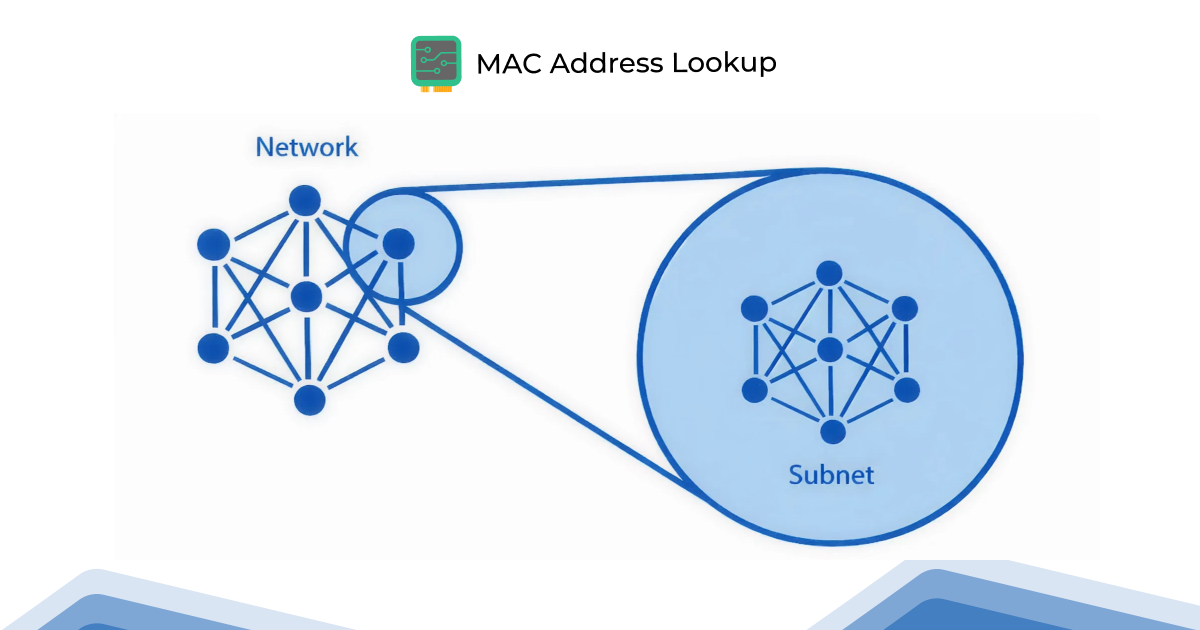
IP subnetting in computer networks is the process by which an extensive network is divided into smaller parts, called subnets.
In subnetting, you can assign a group of devices with specific subnet IP addresses. Each of these subnets is part of the big network. They allow for more efficient communication over the network.
What is the Purpose of Subnetting?
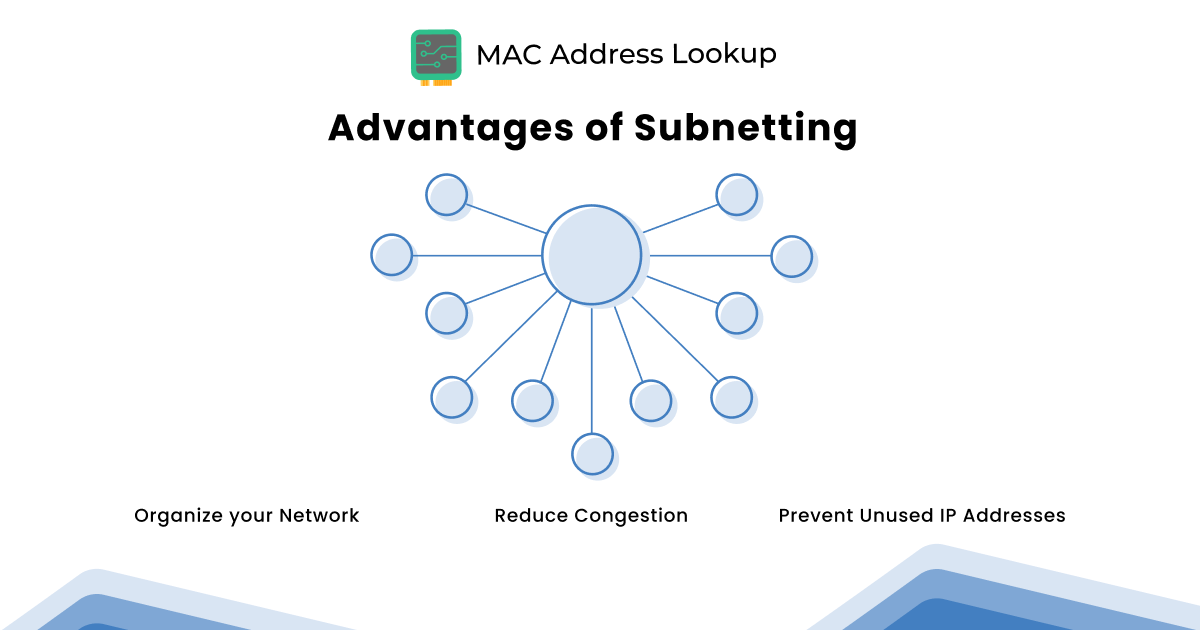
The primary purpose of subnetting in networking is to make the efficient use of IP addresses. Moreover, it also helps with IP address allocation, reduces broadcast domains, enhances security segmentation, and supports scalable network design.
Let us explain this with a simple example.
Suppose you work in a software house that has a class C network, let’s say it is “192.168.7.0/24,” with 256 IP addresses, of which 254 are usable. There are three departments in the software house where you work, each with a particular number of devices (let’s say computers) as follows:
- Development: 25 devices
- SEO: 40 devices
- HR: 1 device
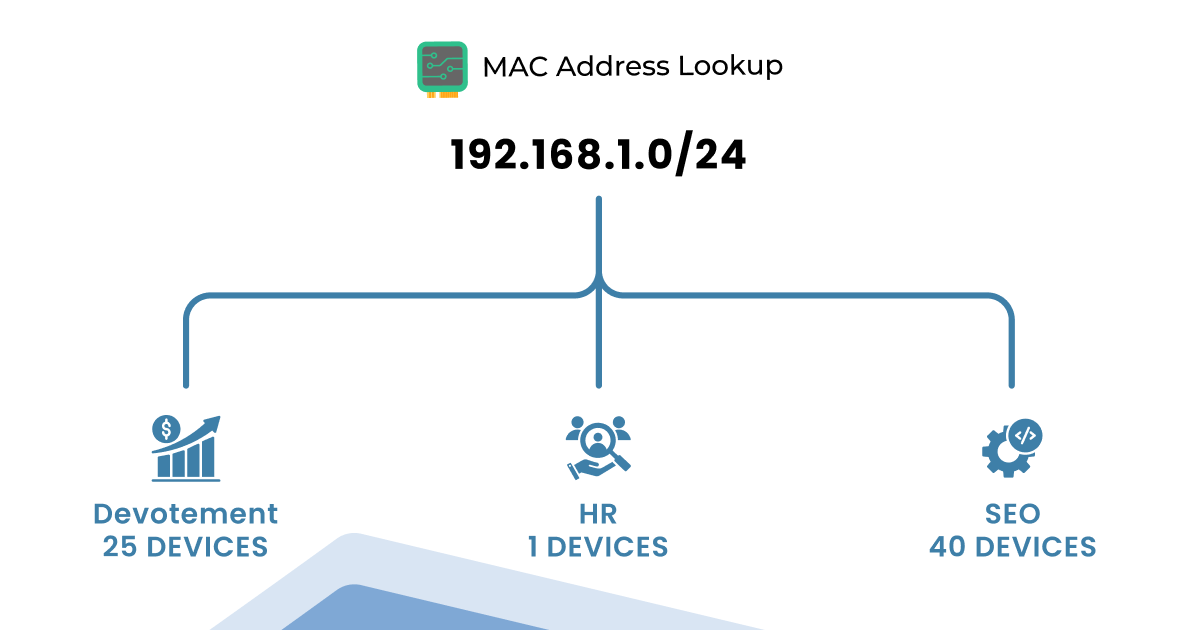
If there is no subnetting in place, then all devices share the same network and broadcast domain. This means all254 IP addresses are available to all devices on the network. You know what this means. This means the wastage of 188 IP addresses, as the total number of devices in your office is 66.
This IP address wastage can lead to inefficient address allocation, reducing scalability, and complicating network growth. That can be avoided by using subnetting.
For example, if you split the network of the mentioned software house into small parts (let’s say three subnets), you can efficiently allocate IP addresses to each department, as we suggested below.
- Development: 192.168.7.64/27→ 32 IPs in which 30 usable (for 25 devices, 5 spare)
- SEO: 192.168.7.0/26 → 64 IPs in which 62 usable (for 40 devices, 22 spare)
- HR: 192.168.7.96/28 → 16 IPs in which 14 usable (for 1 device, 13 spare)
This way, you have 112 addresses for 66 devices and still have enough IP addresses spare, which means that if needed, you can add more devices with ease. But it still saves you 142 IP addresses out of 254.
This separation of IP addresses from a large network into smaller parts leads to:
- Improves IP management through structured allocation.
- Improved network performance.
- Segments broadcast domains and reduces broadcast traffic.
- Increase network security (you can keep sensitive departments like finance on separate subnets).
- Supports Variable Length Subnet Masking (VLSM) for flexible subnet sizes.
- Easy troubleshooting by limiting fault domains. It is easier to find and fix errors in a small subnet than in a crowded, large network.
- Enhance cloud and virtual network segmentation inside VPC architectures.
What Is a Subnet Mask?
A subnet mask is a number (32 bits) that represents the host and network portions of an IP address. As an example, if the IP address and subnet mask of a device are as follows:
- IP Address: 192.168.1.10
- Subnet Mask: 255.255.255.0
In the above example, the first three octets of the subnet mask, “255.255.255”, represent the network, and the last octet, “0”, indicates the host part.
So, if the subnet IP address “192.168.1.10” is part of a larger network having IP address “192.168.1.0”, in such a case, “.10” will be the host.
Subnet Mask Structure
Subnet mask is also written in the set of four octets separated by dots like an IP address. The values of the subnet mask range from 0 to 255.
The smaller the values of 0s in a subnet mask, the fewer hosts (number of IP addresses that can be assigned to a device) it has.
As an example:
If the subnet is “255.0.0.0”, its usable hosts will be 16,777,214. If the subnet is “255.255.0.0”, its usable hosts will be 65,534. And if it's “255.255.255.240”, the number of usable hosts will be 14. In short:
- More 1s in the subnet mask → More network bits → Fewer hosts
- More 0s in the subnet mask → More host bits → More hosts
Here we would like to introduce you to another important term, CIDR (Classless Inter-Domain Routing). Think of it like a shorter version of a subnet mask. Instead of writing the full subnet mask (like 255.255.255.0), you can use CIDR notation, which is a slash “/” followed by a number. The number is of bits that are set to 1 in the subnet mask. For example:
- 255.255.255.0 = /24 (because 24 bits are 1s)
- 255.255.255.192 = /26 (because 26 bits are 1s)
The Subnetting Process in Networking
Now that you know what IP addresses and subnet masks are, we will walk you through the process of how subnetting is done.
Let's suppose you want to subnet a network having:
- IP Address: 192.168.1.0
- Subnet Mask: 255.255.255.0 (which is /24 in CIDR)
This address falls within a Class C network because it uses a /24 default mask.
|
For Your Information
** 127 is reserved for IP loopback addresses. Note that: Classful networking is legacy; modern networks mostly use CIDR. However, the class system helps beginners to understand the IP ranges. |
Since the IP address we suppose starts with “192”, it falls in the network Class C. It will give you 256 total IP addresses (ranging from 192.168.1.0 to 192.168.1.255).
Among these 256 addresses, two are reserved:
- .0 is the network address
- .255 is the broadcast address
So you get 254 usable IPs left.
Step 1: Convert the Subnet Mask and IP to Binary
Network subnetting is all about counting bits. When you convert the subnet mask “255.255.255.0” into binary, it will become: “11111111.11111111.11111111.00000000”.
As you can see, there are 24 ones after the mask is converted into binary. It means we can call this a /24 network (remember the CIDR we discussed earlier).
Inside the binary number, the first three octets that actually are 24 bits “11111111.11111111.11111111” are for the network. And the fourth octet (8 bits) “00000000” is for the hosts.
So:
- All devices in this network will have the same first 3 octets (192.168.1).
- The last octet will change from 1 to 254.
Step 2: Decide What You Want (More Subnets or More Hosts)
Subnetting can be done in two ways:
- You want more subnets → You borrow bits from the host part.
- You want more hosts per subnet → You use fewer subnet bits.
(We have discussed how to calculate both in the next section.)
For now, suppose you want to create 4 subnets from IP “192.168.1.0/24”. For this, firstly, you have to figure out how many bits you have to borrow from the host part to create 4 subnets. This calculation can be done using the formula:
- “2n ≥ required subnets”
As you wanted to create 4 subnets, this means:
- “22 = 4”
So, this way you have to borrow 2 bits from the host part.
Now, instead of using 8 bits for hosts, you’ll use:
- 6 bits for hosts
- 2 bits for subnets
New subent mask will be: 24 + 2 = 26 bits → /26
This way your subnet mask will become: “255.255.255.192”
Confused about where this 192 comes from? Well, here’s the explanation for it. The /26 means there should be 26 ones when the mask is converted to binary.
Originally, the binary was “11111111.11111111.11111111.00000000” (it has 24 ones).
When you add two more subnets from the host part, which is represented by zeros, to the network part, which is represented by ones, it will become:
“11111111.11111111.11111111.11000000” which one you convert from binary into decimal will become “255. 255. 255. 192”.
Step 3: Calculate Subnet Information
Now you have to calculate the hosts per subnet. For this, the following formula is used:
- Hosts per subnet = 2(Number of host bits) - 2
Two (2) is subtracted because one IP is reserved as the network address and one IP is reserved as the broadcast address. So they cannot be assigned to devices.
So,
- Total bits in your IPv4: 32
- Network bits from subnet /26: 26
- Remaining for hosts: 32 - 26 = 6 bits
When you apply the host per subnet formula, it will become:
- 26 - 2 = 64 - 2 = 62
That means each subnet can have 62 usable IP addresses out of 64 total.
Step 4: List Subnets
So now you know that the four subnets that you created each have 64 IPs in the network “192.168.1.0/24”. Now, list them one by one, as we did in the table below.
|
Subnet# |
Network Address |
First Host |
Last Host |
Broadcast Address |
|---|---|---|---|---|
|
Subnet 1 |
192.168.1.0/26 |
192.168.1.1 |
192.168.1.62 |
192.168.1.63 |
|
Subnet 2 |
192.168.1.64/26 |
192.168.1.65 |
192.168.1.126 |
192.168.1.127 |
|
Subnet 3 |
192.168.1.128/26 |
192.168.1.129 |
192.168.1.190 |
192.168.1.191 |
|
Subnet 4 |
192.168.1.192/26 |
192.168.1.193 |
192.168.1.254 |
192.168.1.255 |
If you find it difficult to implement subnetting manually, consider seeking assistance. Worry not, we brought you an easy way to do that. Just visit our IP subnet calculator, fill in the fields, and get instant subnetting results. The good thing is that you can use the calculator to get available IP details for both IPv4 and IPv6 addresses.
How to Calculate a Subnet Mask?
So, now you have learned the process of subnetting a network. Now we are going to tell you how you can calculate a subnet mask in two different conditions:
- You know the number of hosts (devices) you need in a subnet.
- You know how many subnets you want to split a larger network.
Let us take you to both individually.
Calculating Subnet Mask Using Host
Let's suppose that you want to break a big network into smaller parts via subnetting. And you want each subnet on the network to have a particular number of devices. Let’s say you want IPs for 50 devices in each subnet.
As we mentioned earlier, two IPs are always reserved, one for the network and one for broadcasting. It means that you need (50+2 reserved IPs), 52 total IPs in each subnet.
Find the Suitable Group Size
Next, you need to determine the smallest group size that yields at least 52 IPs. know that, you cannot randomly make group sizes on your own. They must follow the pattern of powers of 2.
|
Total IPs |
Usable IPs |
Suitability |
|
2 |
0 |
Not suitable |
|
4 |
2 |
Not suitable |
|
8 |
6 |
Not suitable |
|
16 |
14 |
Not suitable |
|
32 |
30 |
Not suitable |
|
64 |
62 |
Perfect |
It means that you need at least 64 IPs, which actually will give you IPs for 62 addresses. And that is enough for your 50 devices.
Find a Subnet Mask that Gives 64 IPs
Now you have to find the subnet mask that can give you 64 IPs. For this, you will need 6 bits because 26= 64. As we mentioned earlier, an IPv4 address has 32 bits, so that it will become: 32-6 = 26.
The subnet mask becomes /26, which is written as “255.255.255.192”.
As a result, if you need 50 devices per subnet, you will have to use the subnet mask /26. It can give you 64 total IPs, out of which 62 (two reserves excluded) will be available for you to use.
Calculating Subnet Mask Using Subnets
To split a larger network into a specific group of subnets, follow these steps.
Suppose you want to split your network into 10 subnets. First, you need to determine how many bits you'll need to create subnets.
Let’s say your network is a Class C network with the IP address “192.168.1.0”.
A Class C network typically uses a default subnet mask of /24, which provides 256 IP addresses.
To determine the number of bits you need, you must split the network using powers of 2, as shown in the table below.
|
Bits to Borrow |
Subnet Created |
Sutiable |
|
1 |
2 |
No |
|
2 |
4 |
No |
|
3 |
8 |
No |
|
4 |
16 |
Yes, perfect for getting 10 subnets |
This means borrowing 4 bits will provide you with 16 subnets, which are more than 10 (enough for you).
As the original subnet mask is /24 and four, you have to borrow so it will become: 24 + 4 = 28.
That means if you have to create 10 subnets, you will have to use /28 (255.255.255.240) subnet mask, which actually gives you 16 subnets, each with 14 usable IP addresses.
Bottom Line
Subnetting lets you break a large network into smaller parts, making it easier to manage. Subnetting IP addresses seems to be a challenging task. But once you understand the basics of IP addresses and the working of subnet masks, things become much simpler.
We hope this blog post helped you understand what subnetting is and how to do it step by step. And if manual calculations feel overwhelming, don’t worry. Use our free IP subnet calculator to simplify your calculations.